Reactor Drone
Early prototype build
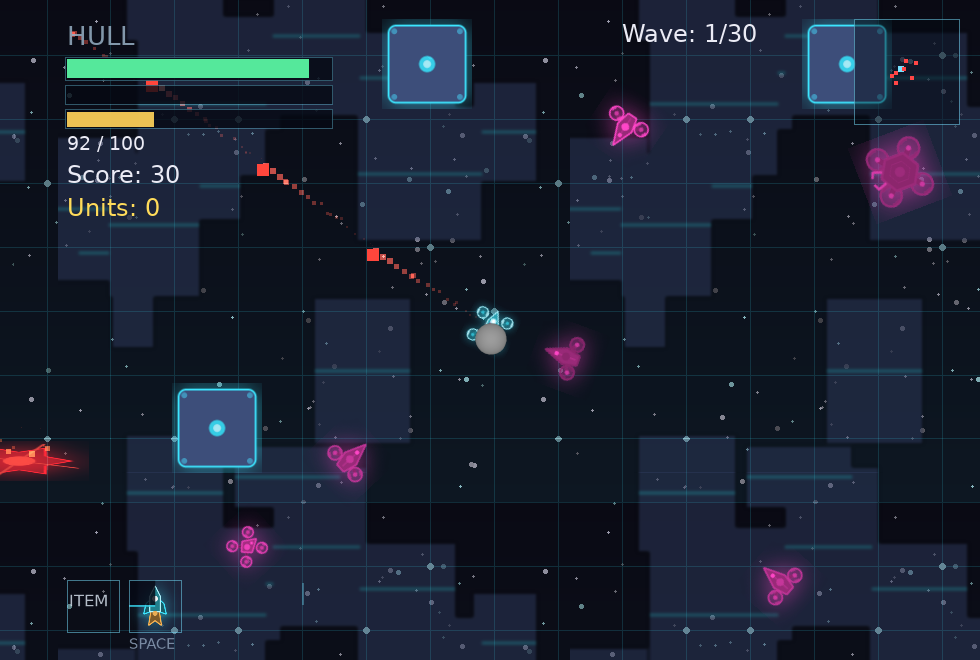
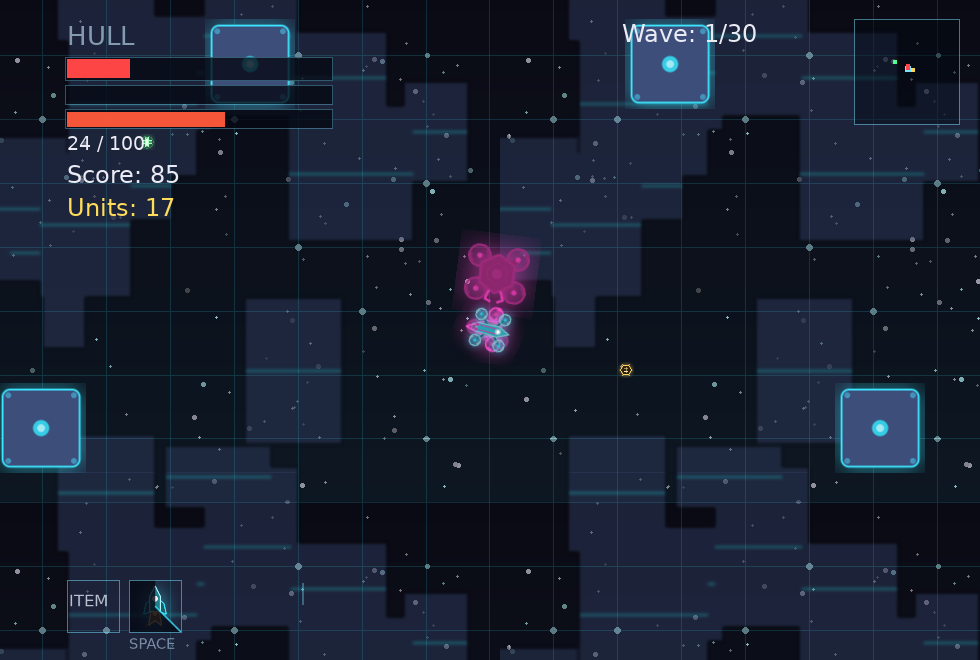
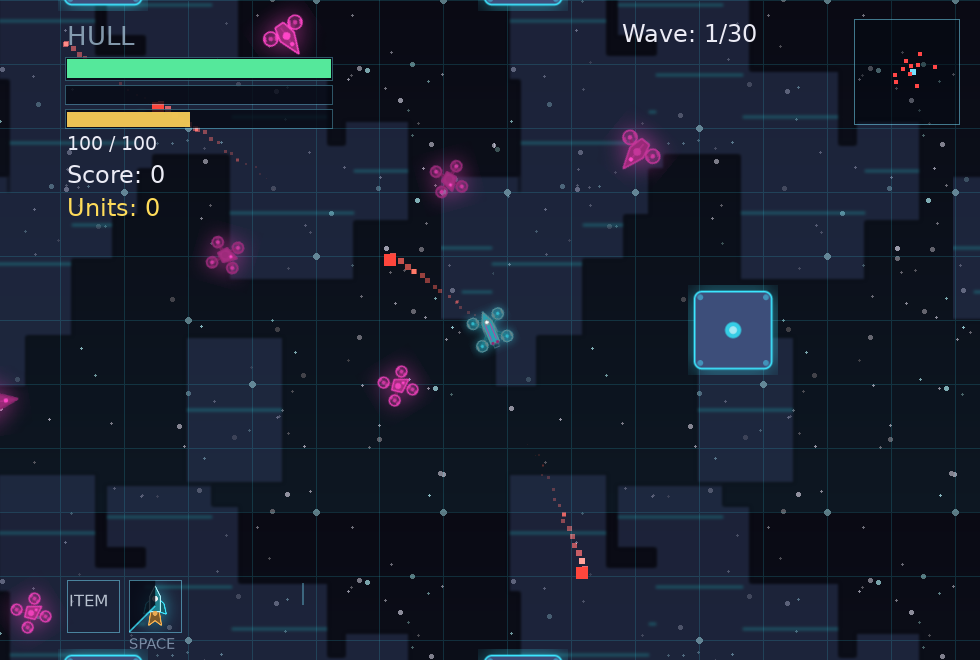
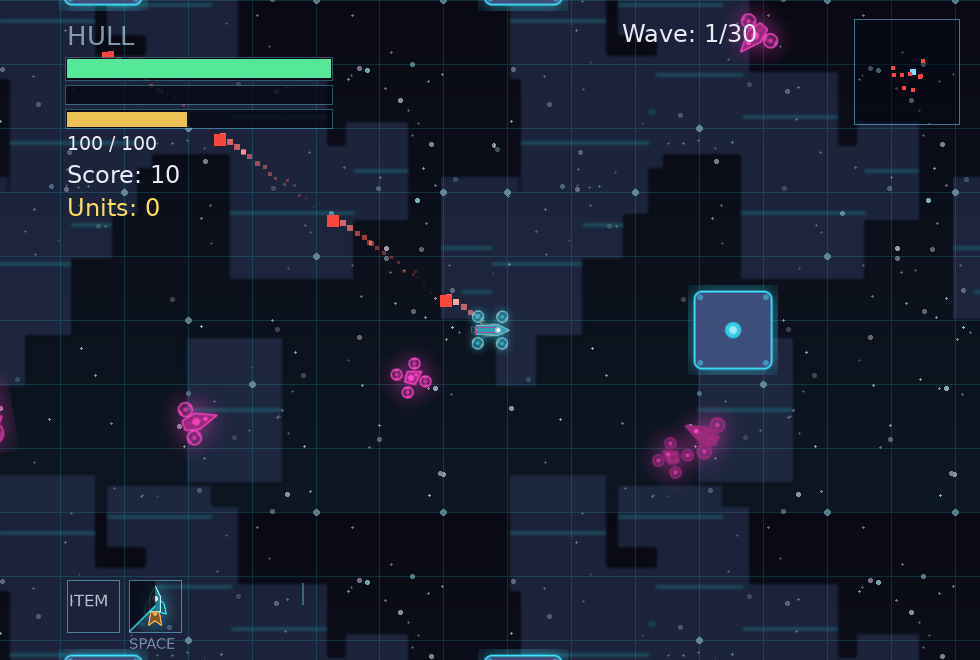
It's basically a roguelike wave shooter. You are a drone, fly around and use your primary/secondary fire to shoot at enemies. The map changes every couple of waves, and you can buy upgrades to improve your run. Collect new drone types, weapons, and cosmetics to customize your drone.
Download
macOS will refuse to open this the first time, saying “Apple could not verify ‘ReactorDrone’ is free of malware.” That is not a warning about the game — Apple charges $99/yr for the developer certificate that suppresses it, and this build does not have one.
To open it:
- Click Done on the warning. Do not click Move to Trash.
- Open System Settings → Privacy & Security.
- Scroll down to the line saying ReactorDrone was blocked, and click Open Anyway.
- Confirm when prompted. The game opens, and you only do this once.
Prefer the terminal? Run xattr -dr com.apple.quarantine ReactorDrone.app
instead. Right-click → Open no longer works on macOS Sequoia and later.
All three builds are early prototypes. The macOS bundle is not notarized — see Installing below. A portable Windows zip is also on the release page. Intel Macs are not supported.
Stay up to date
One mail per release, so you know when there is a new build to grab. Nothing else, and every mail carries an unsubscribe link.
Screenshots
How to play
A run is thirty waves across nine arenas. Enemies spawn out at the rim and come for you; a wave is over when the last one dies, not when the last one spawns. Every few waves the arena crossfades into a new one — new colours, new obstacle layout, new hazards, a new signature enemy. Touching an enemy hurts, so the two things that kill new players are standing still and forgetting that.
Every fifth cleared wave the run pauses and asks whether to open the shop or push straight on. The spawner waits but your drone still flies, so it is also your chance to sweep up loose credits. The shop covers eight upgrade lines — Hull Plating, Shield Capacitor, Aux Thruster, Overclock, Heavy Rounds, Twin Barrel, Long Barrel and Ricochet Coils — plus one item slot and one consumable slot. Hull does not regenerate on its own, so treat every point as spent until the next shop.
Waves 10, 20 and 30 are boss waves: a capital drone themed to its arena, summoning escorts on a timer, and the wave does not end until it dies. Killing one offers a choice of three actives; later bosses upgrade what you hold or offer something you don't. At half health the final boss tears the arena open into the Singularity, a black-hole void you finish the fight in.
Clear the arc and you can prestige: start again from wave one stripped of every upgrade and item, in exchange for a permanent hull, speed and damage bonus that stacks up to five levels and persists between sessions. A second ship — a fast gatling build, weaker per shot — unlocks once your lifetime score across all runs is high enough. Runs can be saved from the pause menu.
| Arrows / WASD | Move |
|---|---|
| Mouse | Aim (hold left to fire — firing drains a battery that refills when you ease off) |
| Right mouse | Weapon secondary: charged slug, crescent burst, flamethrower, or blizzard |
| Space | Thruster dash, damages what you pass through — charges bank up (one to start, +1 per boss) |
| Q / E | Use consumable / fire your boss item |
| ESC | Pause |
| Hold a shop card | Buy that upgrade — holding is deliberate, so a stray click never spends credits |
| B | Open the shop mid-run / launch the next wave |
Installing
- Windows — run the installer. It is unsigned, so SmartScreen may warn you: click "More info", then "Run anyway". Installs to Program Files with a Start-menu shortcut; uninstall from Settings → Apps.
- macOS — unzip and drag ReactorDrone.app to Applications. It is not notarized, so the first launch is blocked. Click Done on the warning, then open System Settings → Privacy & Security, scroll down, and click Open Anyway. Right-click → Open no longer works on macOS Sequoia and later.
- Linux — extract the tarball and run
./run.sh.
System requirements
- Windows 10/11, 64-bit
- macOS 12 or later, Apple silicon
- Linux, x86-64, glibc 2.35 or later
- Any modern GPU
- ~60 MB disk space
- Keyboard and mouse